





.png) Free e-books, audiobooks, and digital magazines with your BALibrary card
Free e-books, audiobooks, and digital magazines with your BALibrary card


 Explore More Illinois: discounts on cultural attractions with your BALibrary card


Advertise your local non-profit group's upcoming events on the display screen in the Library Atrium. Slides are also displayed at the Library's second floor reference desk. Thousands of visitors come through our doors each month, making the screens an ideal place to tell the community what your organization has planned. Note: due to the popularity of this service, slide requests must be submitted by a Barrington Area Library cardholder on behalf of a local non-profit organization. You may receive an email asking you to confirm your library card number.
Slides may contain information about a local non-profit organization or details about a specific event sponsored by a local non-profit organization. The name of the non-profit organization/event must be significantly larger than the name and/or logo of any for-profit sponsor. The Library reserves the right to determine whether and when slides will be added or removed from the slideshow.
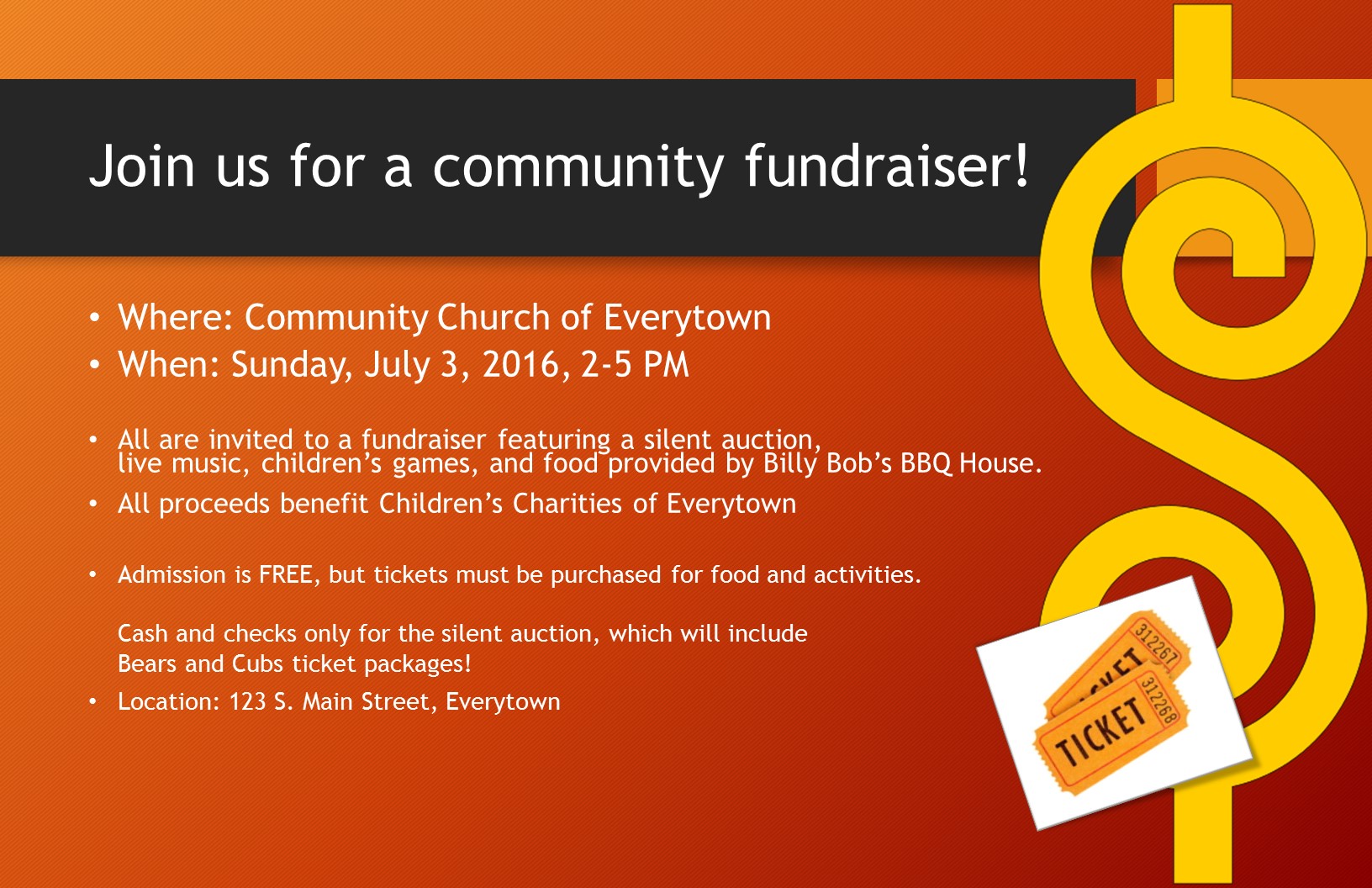
Click the image above to see an example of a finished slide.
The Library will display the slide exactly as submitted; be sure the slide is accurate and includes all pertinent details, such as date, time, and location.
Email your slide as an attachment to Community@balibrary.org. Indicate the starting date and the number of weeks you'd like the slide to appear.
You may request up to 4 weeks of display time. More than 4 weeks' time will be left to the discretion of the Library staff, depending on the total number of requests at that time.
The Library recommends using PowerPoint to create slides for the Community Information screen. PowerPoint is available on many computers and it is simple to use.
Don't have access to PowerPoint? You may also email a flyer/poster and our staff will make a slide. Flyers and posters may be PDF, .jpg, or even Word documents, but the document must be at least 8.5" X 11" (11" X 17" is preferable) in order to properly display. Documents in landscape orientation are preferable, but we will work with portrait orientation, too. Send your documents via email to: Community@balibrary.org.
How to create a slide:
1) Open up PowerPoint and select a "Blank Presentation" or any of the colorful designs on the opening screen.
2) Before you begin to design the slide, go into the "Design" tab, choose "Slide Size," then choose "Custom Slide Size.
3) Enter width as 17", height at 11".
4) Back under the "Home" tab, you may want to choose a different Slide Layout, depending on if you want just text, or text plus images. At any time, click the "Design" tab to see other background colors and styles.
5) Now, type in text and insert photos or images to inform people about your upcoming event or service. Be sure to include all the relevant details, such as location, date, and contact information.
6) When your slide is ready, click the "File" tab, then select "Save As."
7) Choose a location on your computer where you would like to save the file.
8) Give your file a useful name (like "FundraiserSlide") then, in the dropdown menu called "Save As Type," choose "JPEG File Interchange Format."